
Documentation
Alerts
Your conditions, your logic and your sound. The largest part of the app.
Most wheel apps give you one checkbox: beep when PWM goes above this number. Here that checkbox is replaced by a section where you build the warning yourself.
It has three parts: the alerts, the condition templates and the sound patterns.
Conditions#
A condition is a reading, a comparison and a threshold. The readings available are speed, PWM, battery voltage, average cell voltage, cell spread, battery current, phase current, power, charge level, controller temperature, MOSFET temperature, motor temperature, battery temperature, pitch and roll angles, trip distance and total distance. With a TPMS sensor bound, tyre pressure joins the list: a slow puncture is the one failure a rider cannot feel until the wheel already handles differently, and watching that number by eye is exactly what alerts are for. If the sensor goes quiet the condition goes quiet with it - a dead sensor is not "pressure is fine".
The list shows what your wheel can actually measure, not everything at once. No Begode carries a probe inside the pack, for instance, so battery temperature will not be on its list. A metric the wheel does not report is marked as such in the editor, and a condition on it never fires: a missing reading is not zero degrees.
Battery temperature means the hottest battery reading the wheel reports. On a wheel with several packs that is the highest of them; on a wheel with a single probe it is that probe. This is deliberate: a battery alert is an overheat warning, and the coldest pack cannot raise one.
Two more fields are the point of the whole thing:
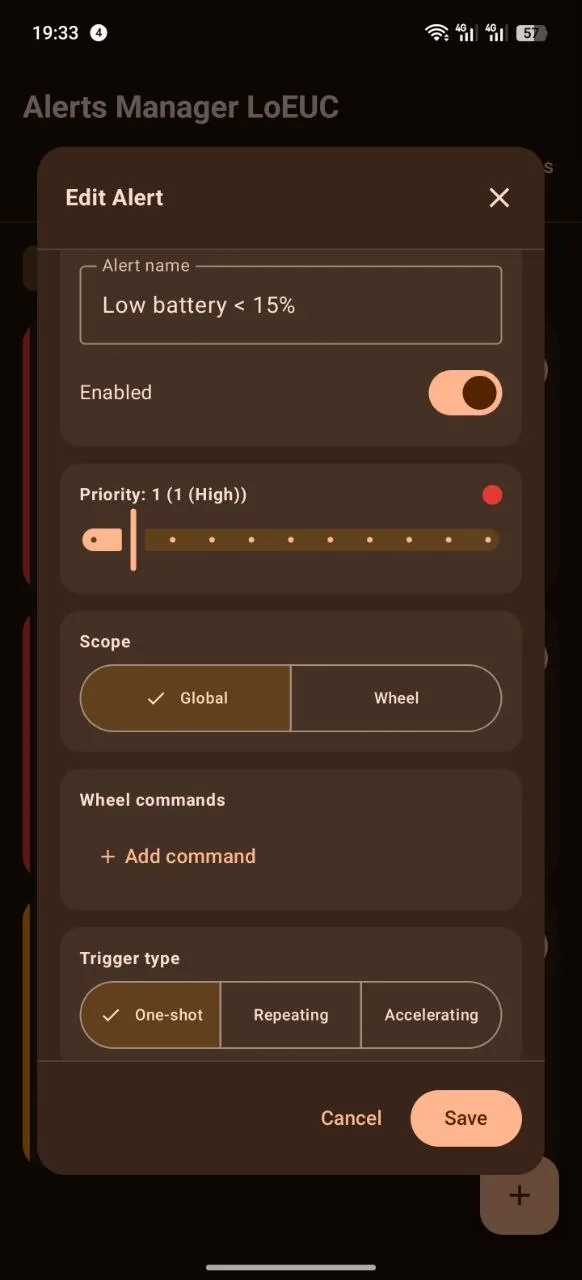
- Reset value. The alert stops at a value below the one that set it off, not at the same one. Without that, a warning chatters while the reading hovers on the threshold.
- Minimum duration. The condition has to hold for a set time before the alert fires. A brief spike over a bump does not raise an alarm.
The threshold and both of those fields are adjusted with minus and plus, and the value itself can be tapped and typed — a stepper on a step of 5 will never land on 87. A comma is accepted the same as a dot, and the hold is typed in seconds. A value outside sensible limits is refused and reverts to the previous one.
The comparison is changed right on the threshold screen: ≥, >, ≤ or <. If the flip leaves the reset value or the ramp ceiling on the wrong side of the threshold - say "battery ≤ 20" still releasing at 15, which it never would - they go back to "auto", and the model picks a margin on the correct side by itself. "Equals" is still set in the condition template editor.
"GPS speed" is available like any other reading, so an alert on the gap between it and the wheel's own speed is built the same way as any other. Remember that it stops firing when the signal is lost — that is not a fault but a refusal to judge on data that is not there.
- Repeat in steps of N. The condition rearms every so many units of the reading, without waiting for it to fall back past the reset value. Without it, "trip over one kilometre" fires once per ride: distance never falls, so the condition stays met to the end. With a step of one kilometre you hear the first, the second, the third. The step counts in the direction of the comparison, so "battery below fifty, every ten" walks down: 50, 40, 30. The editor shows the marks the rule will fire at right under the number.
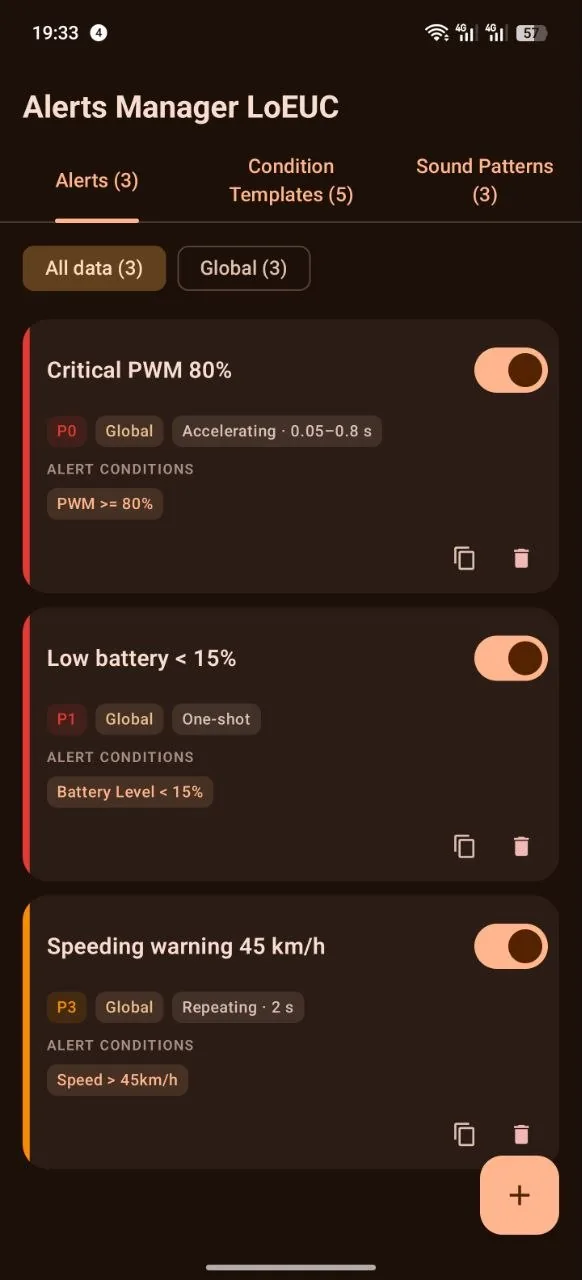
One alert can hold several conditions, combined as "all of them" or "any of them". For example: speed above forty and PWM above eighty.
A condition can be saved as a template and reused in other alerts.
How an alert fires#
Three kinds:
- One shot. Once, when the conditions are met. It rearms when the reading has gone past the reset value, or after a timeout.
- Repeating. Repeats on a set interval while the conditions hold.
- Accelerating. The beep speeds up as the reading approaches the dangerous end: from occasional beeps at the lower threshold to merging into one continuous tone at the upper one — both the merge point and the curve shape are yours to pick. The interval of the first beeps is set separately: if once a second is too sparse at the bottom of the curve, set half a second and the ramp starts from there. It does not touch the end of the curve: right before the merge the beeps always reach their fastest. Pitch climbs along with the rate: the editor sets a multiplier for how far the pattern's frequency rises by the upper end. Ease off and the beep slows back down and drops in pitch again.
The accelerating kind exists for PWM. You do not hear "exceeded", you hear how close the edge is. The preview button in the editor plays the whole curve for this kind, from the threshold to the merged tone, rather than one pass of the pattern.
Voice#
An alert can speak instead of beeping. The editor has a "How it signals" switch: sound or voice. Pick voice and the app says the reading and its value through the system speech engine: "Speed 60", "Battery 10", "Trip 5".
A spoken alert always fires once. There is no repeating or accelerating voice: a phrase that repeats stops being a message, and a phrase has nothing to speed up. To hear a reading more than once per ride, give its condition a "Repeat in steps of" step.
The phrase can be rewritten. It starts filled in from the reading, and the unit is not
spoken: you wrote the rule and know what your speed is measured in, while "sixty kilometres
per hour" takes twice as long to say as "sixty" — at 60 km/h that is fifteen extra metres of
road. If you do want the unit, insert {unit}: the word agrees with the number on its own, so
you get "1 kilometer" rather than "1 kilometers".
Under the phrase field there is a "how it will sound" line — the whole sentence with its number filled in, and an estimate of how long it takes to say. It is there so you can compare variants: a long phrase finishes speaking after the situation has already changed.
Voice needs the rule to have one top-level condition. With two branches joined by "any of them" there is no telling which one fired, and the phrase would name the wrong thing — the voice switch is unavailable there, and the editor says why. "All of them" is no obstacle: when the group holds, all of its conditions are true at once.
Speech never overlaps a beep. If an alarm is sounding when the rule fires, the phrase waits for it to stop; if an alarm starts mid-phrase, the phrase is cut. A waiting phrase is re-checked and rebuilt from fresh data before it speaks: "Speed 80" does not survive you braking to forty and is never said at all, while "Battery 10" that waited out a long alarm comes out as "Battery 8".
Voice announcements are switched off entirely by one toggle in the alerts manager; beeps stay. The voice is the system's own: if the phone has no voice for your language, the editor says so and offers to open the speech settings. Spoken rules are not sent to the watch — a buzz means "something is wrong", and "Trip 5" is not "wrong".
Priority#
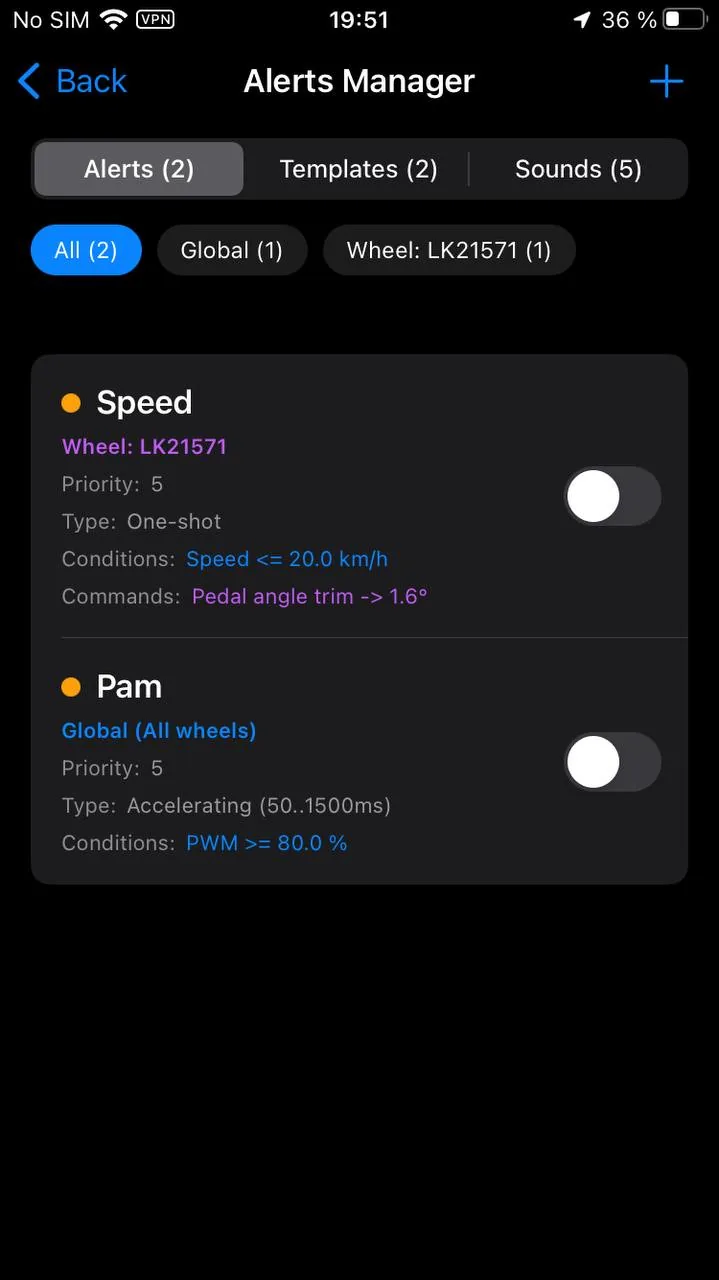
Every alert has a priority: critical, high, medium or background. When several fire at once you hear the one that matters, not all of them at the same time. On Android that is literal: one voice at a time. While the highest-priority alert is sounding, the rest stay fully silent — no taking turns, no beeps stacking on top of each other — and show only on screen.
Scope#
An alert is either global or bound to one specific wheel. The second is what you want when you own several wheels with different safe limits.
Sound#
The sound is built step by step in an editor of its own. Each step has a frequency, a duration, a pause after it, a volume and a waveform:
- sine, a soft beep;
- square, a hard alarm;
- sawtooth, the most aggressive;
- triangle, neutral.
The finished pattern can be previewed right in the editor and saved to a library for reuse in other alerts.
The familiar PWM alarm is built from this same editor — it is just an alert with the highest priority of all. It ships enabled in the default set and is edited in the manager along with every other one: its threshold lives there, and so do its conditions, priority and beep pattern. The separate settings card with a slider is gone — it edited exactly this alert, and one threshold configured in two places told two different stories about itself. There is no separate sound path for PWM either: "only the one that matters sounds" applies to it exactly like to your own alerts. Updating from an older version carries its threshold, frequency range and merge-into-tone point over automatically, nothing to reconfigure.
Alarm sounds mix over music without changing its volume by default. The "Duck music during alarms" switch — shared by every alert — stays on the first settings screen next to the way into the manager, off by default. When enabled, music ducks once for the whole alarm and returns afterwards instead of pumping between adjacent beeps.
An alarm can also be felt. The "Phone vibration" switch in the alerts manager is on by default and works on top of the beep rather than instead of it: the audio slot goes to navigation or to an incoming call, and there is often a headset mixer between the phone and your ears as well. The pulse pattern is the one the watch already uses and follows the rule's priority — a critical rule buzzes twice, the others once. The phone buzzes when an alert fires, not on every beep of a ramping one: above five times a second the motor cannot keep up anyway.
On iPhone this channel has a limit worth knowing in advance: the system stops haptics for a backgrounded app, and there is no background mode for them. While the dashboard is on screen the vibration works; with the screen off only the sound reaches you. Android has no such limit.
Commands to the wheel#
An alert can do more than beep: it can send a command to the wheel. Lower a limit, turn on the light.
This does not work everywhere, and it is deliberately fenced in:
- only on wheels that accept settings at all;
- only when the alert is bound to a specific wheel rather than global;
- only after you confirm a warning that changing settings while riding is dangerous.
Treat it as a sharp tool.
If an alert exists only for its command - "speed above 60, stiffer pedals" - a beep on every crossing is just noise. The "How it signals" switch has a third option, "Silent": such a rule neither beeps nor vibrates, does not talk over other alerts, and still sends and reverts its commands as usual.
Headlight strobe#
A separate command in the same list: the headlight blinks while the alert holds, and the moment the alert clears, the blinking stops and the light is left on. The same happens when the app stops and when the dump player is paused — the strobe never outlives the ride.
A dropped link, though, cannot be played out: putting the light back needs a wheel on the other end, and there no longer is one. If the link drops during a dark phase, the headlight stays off until the next command — from its own button, or from the app after reconnecting.
How it works differs per brand, and that is why not every wheel gets it.
- KingSong — the wheel has its own strobe, so this is an ordinary setting: the "Headlight strobe" row in the alert's command list, switched on and rolled back with the alert. The wheel has to have answered with the strobe's current value first, or there is nothing to roll back to.
- LeaperKim and NOSFET — the wheel has no strobe of its own, so the app blinks the light itself by switching the light mode: about one and a half flashes a second, lit twice as long as dark. The row is "Headlight strobe (by the app)". NOSFET runs the LeaperKim protocol and takes the very same command.
- Oryx and Lynx-S blink the low beam: on those the same command is the low-beam button. If you were riding on high beam, the app puts it back after the alert — but only when the high beam was switched on from the app. Light switched by the wheel's own button is invisible to the app, since the wheel never reports its state, and there the low beam is what stays.
- InMotion, Begode and Ninebot get no app strobe. On InMotion the headlight goes through the same confirmation path as a setting; on Begode the blink exists in the headlight button, but the command rests on a single source, which is not enough to send it by itself on an alert; on Ninebot the headlight is not app-controllable at all.
The strobe never starts during dump playback: there is no wheel there to write to.
It works the same on Android and on iPhone: both the per-brand table and the blink timing live in the shared core, so a rule made on one phone does not fall silent on the other. KingSong's own strobe works on both platforms anyway, being an ordinary setting.